CABIN №02 Inside the app — a corridor tour
TWO SIDES, ONE CORRIDOR.
Behind the fitting cabins hang two mirrors: the shopper's app on the left, the store's panel on the right. Scroll — the corridor lights up stop by stop.
Notify me at launch Walk the corridor ↓
The real app, screen by screen — every feature described here exists in code.

№ 01 the mirror corridor
Screen by screen, both sides at once.
On the left, the shopper: from discovery to protected checkout. On the right, the store: from dashboard to earnings. Fourteen stops, two mirrors.
* Screens are code-derived illustrative previews; they are replaced automatically as real screenshots land under the same names.
01 Shopper side
-
HomeScreen
Home feed
Outfits from people you follow, in chronological order. Like, comment, save to a board — and tap the tagged-product badge.
illustrative preview
-
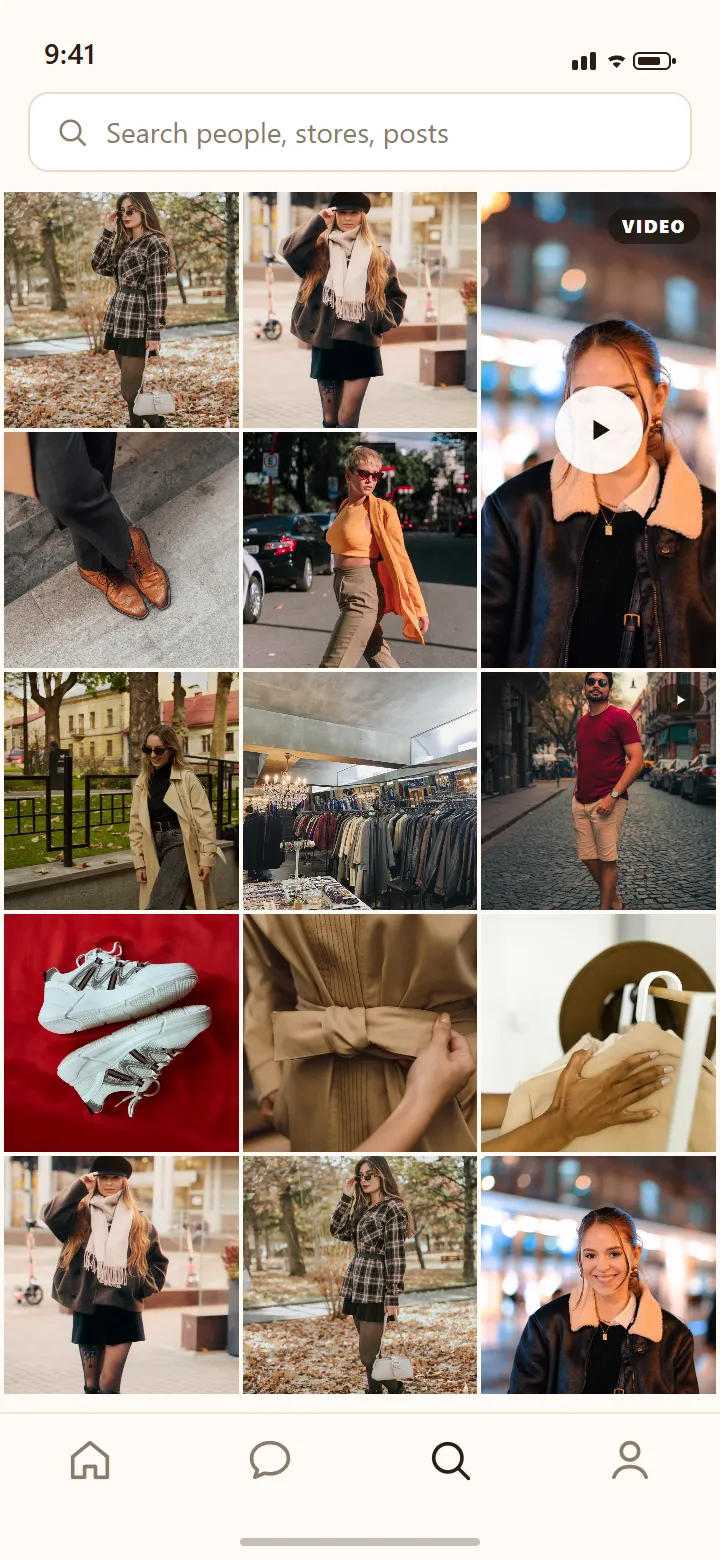
ExploreScreen
Explore
A three-column grid plus a video hero: everyone's public outfits and reels. Search is one tap away.
illustrative preview
-
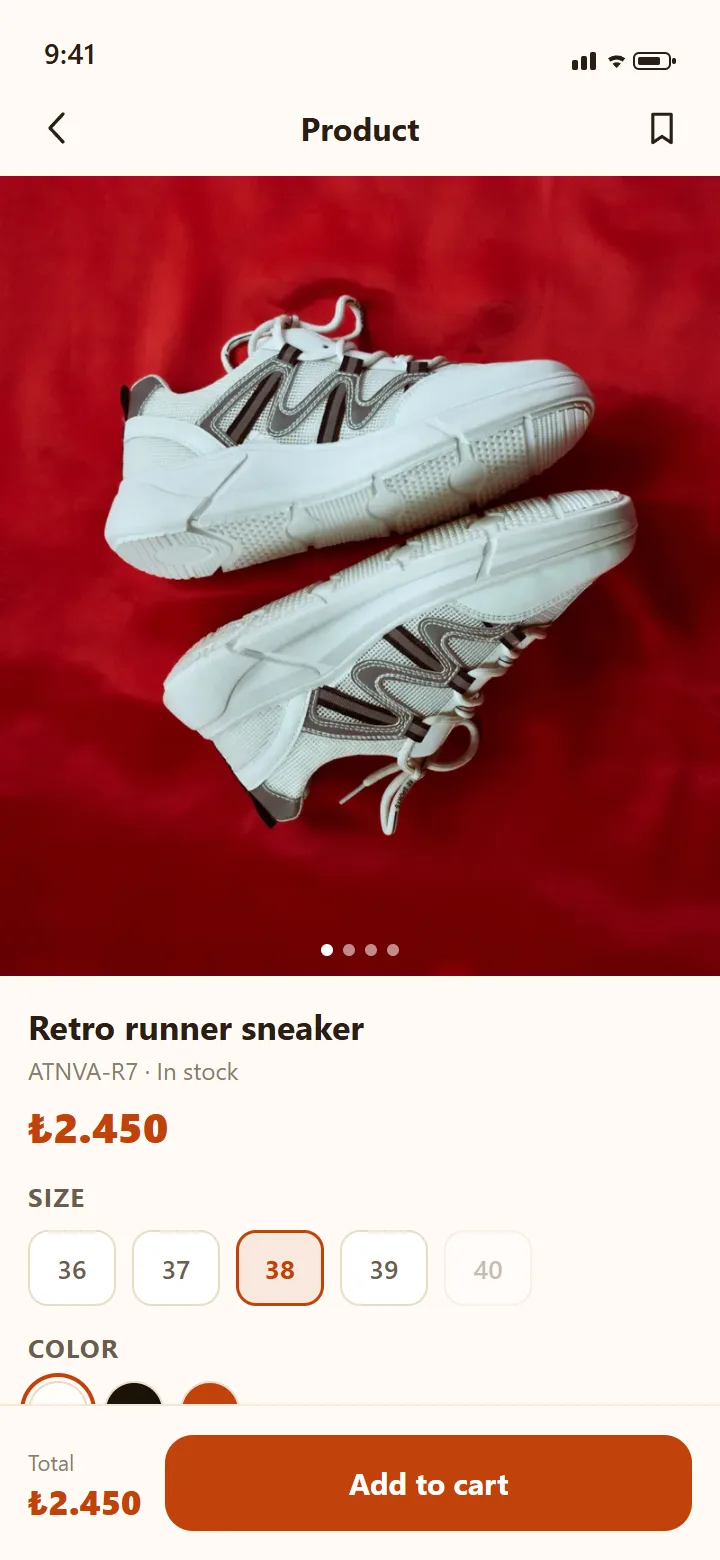
ProductDetailScreen
Product page
Where the tag takes you: size and color chips with live stock, the store card, and "Add to cart" always within reach.
illustrative preview
-
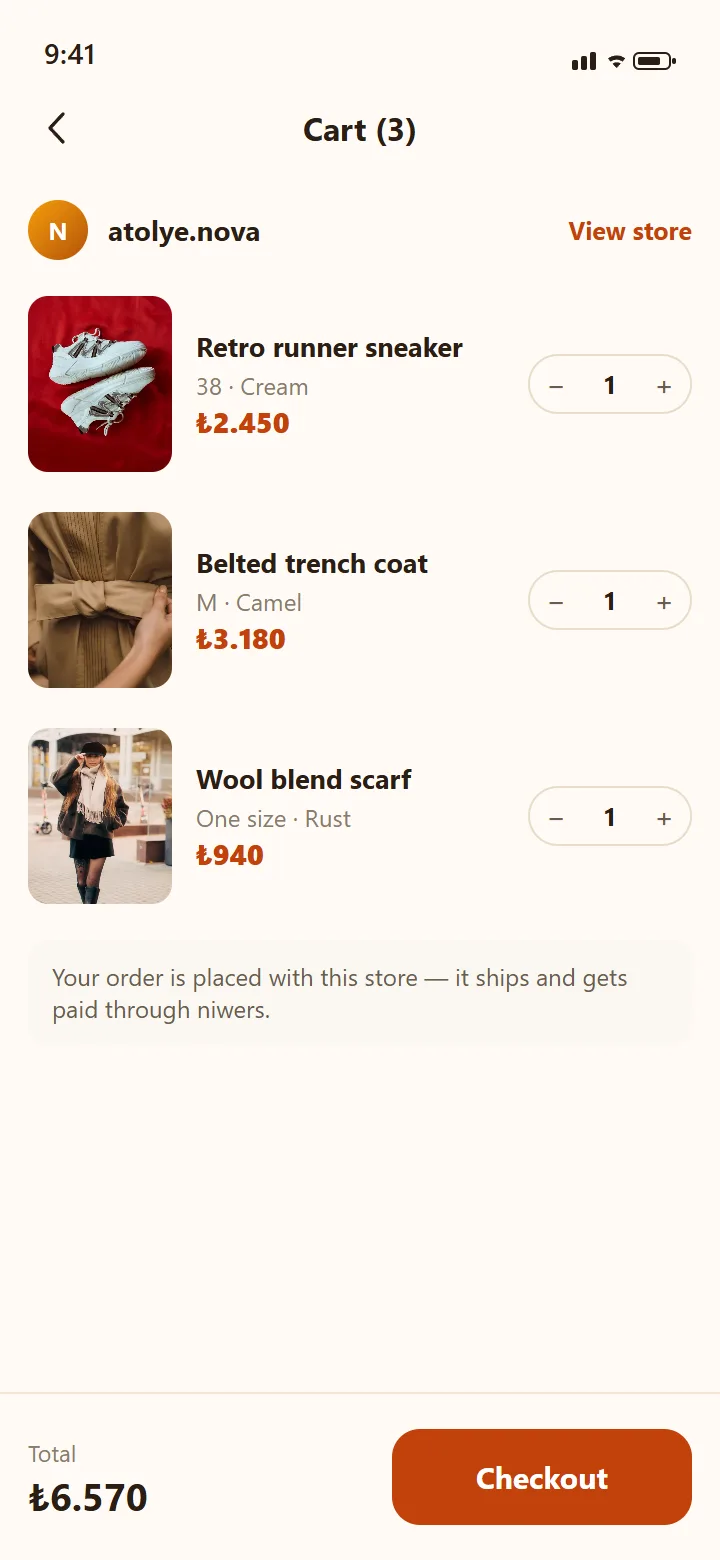
CartScreen
Cart
The cart works per store: an order belongs to one store; payment and shipping run with that store.
illustrative preview
-
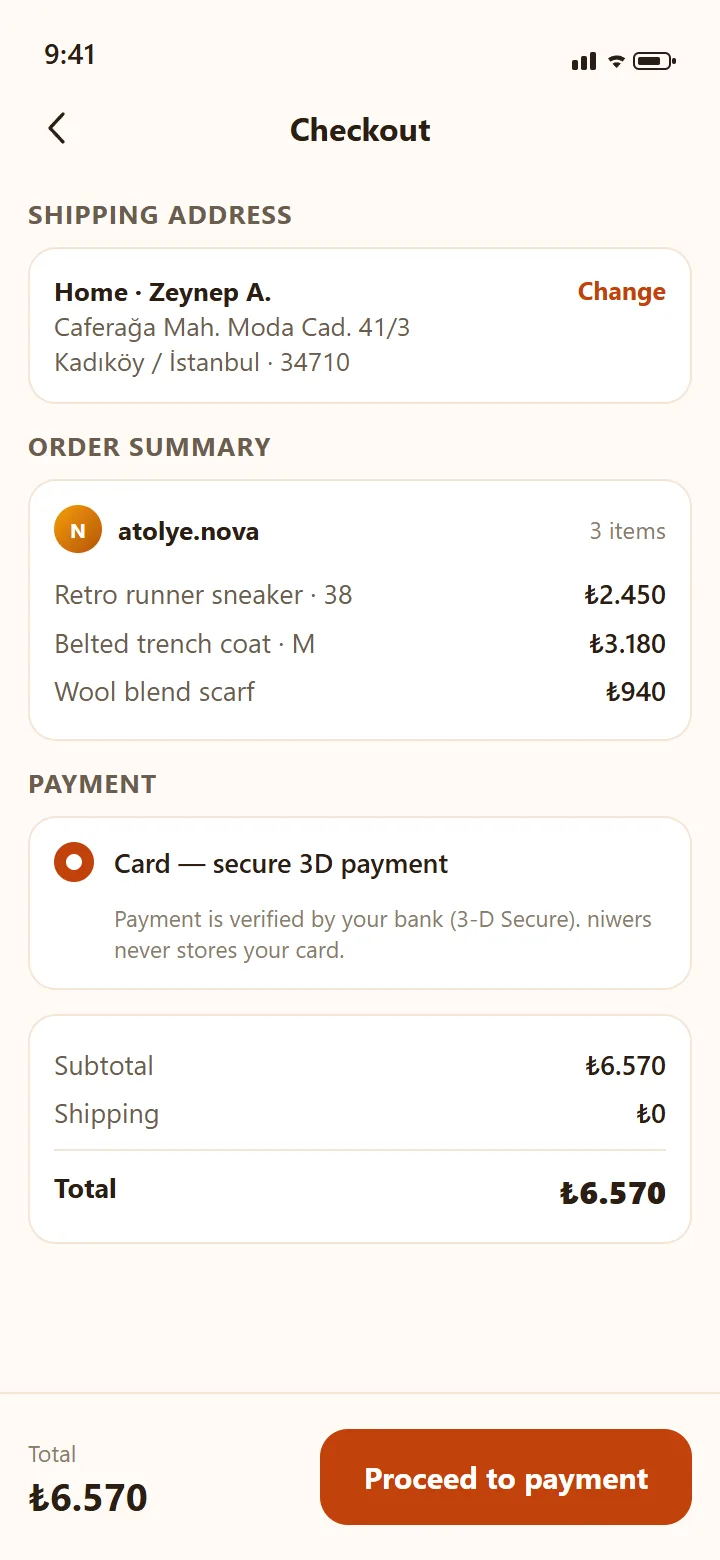
CheckoutScreen
Checkout
Address, summary, price breakdown — then your bank's 3-D verification. niwers never stores your card.
illustrative preview
-
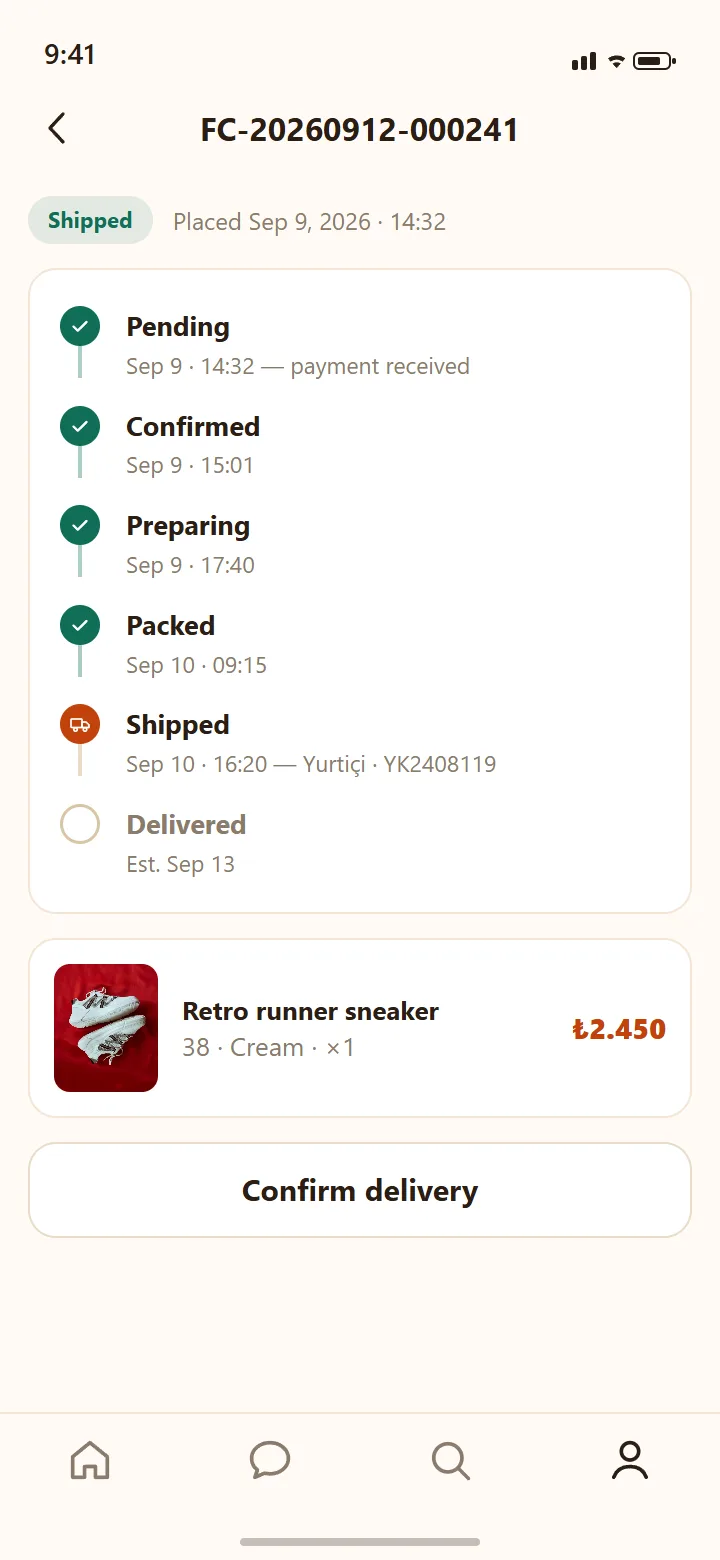
OrderDetailScreen
Order tracking
Every step from Pending to Delivered on a timeline, with the carrier and tracking number. You can confirm delivery yourself.
illustrative preview
-
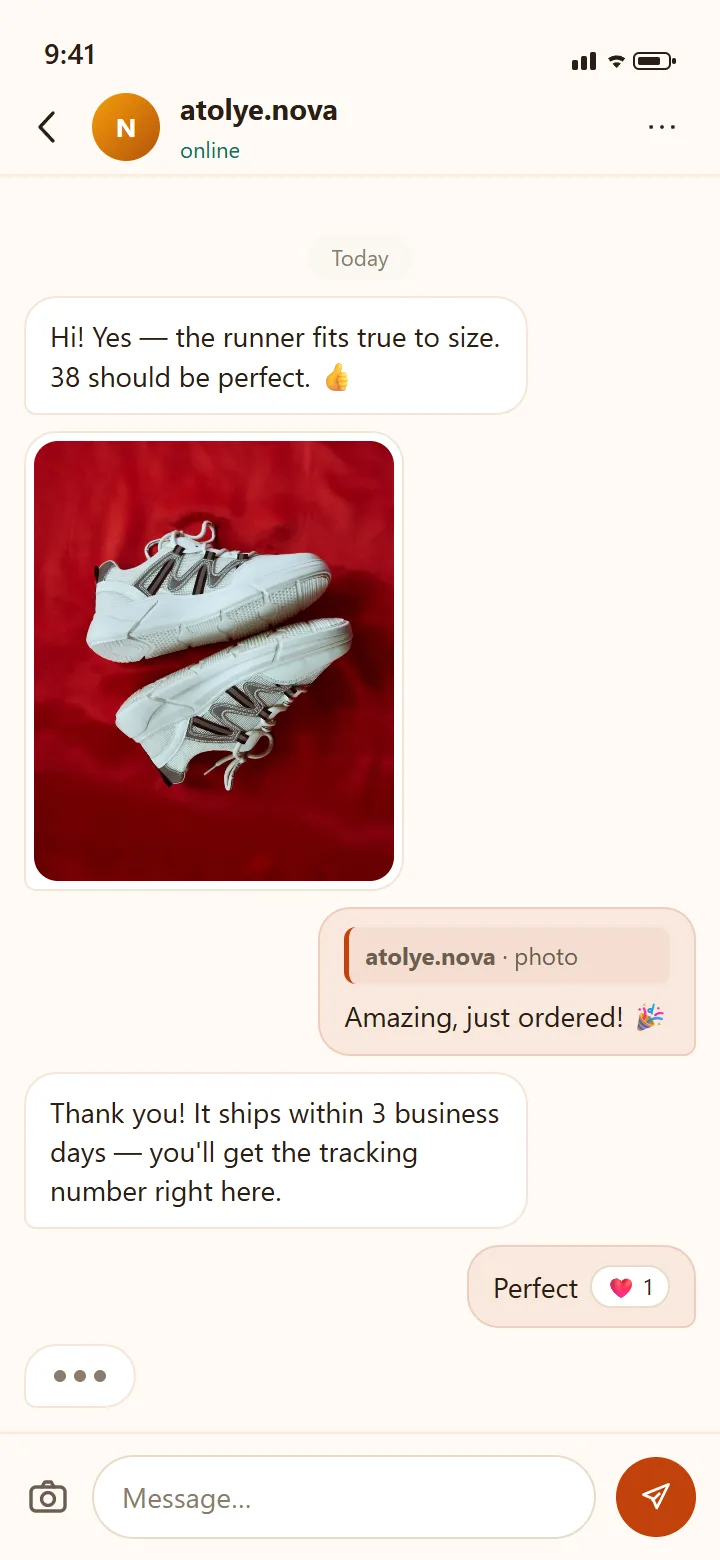
ChatScreen
Messages
Chat with the store in real time: photos, reply quotes, reactions, typing dots — sizing questions get answered in seconds.
illustrative preview
-
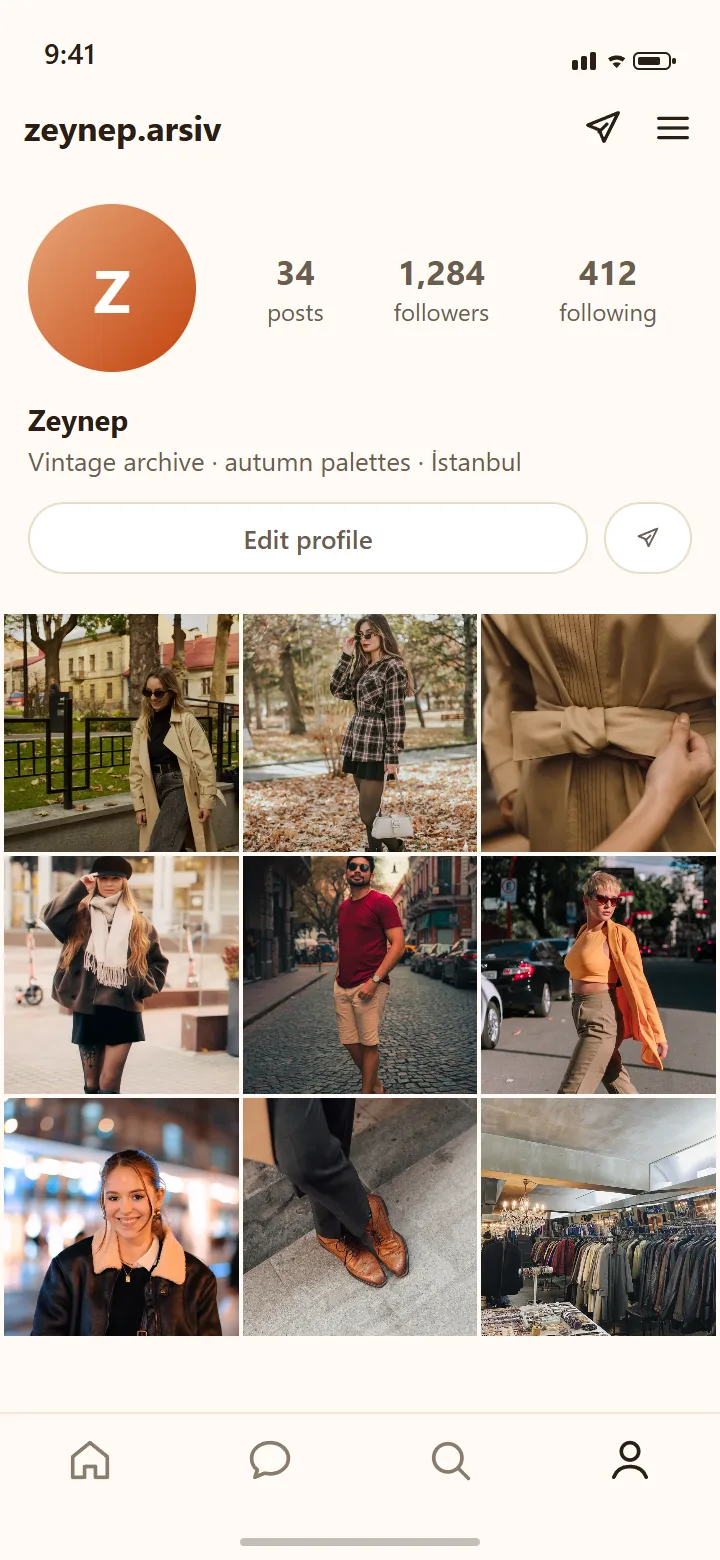
ProfileScreen
Profile
Your outfit archive, your followers, your measurements if you want them — your own storefront. Going private is one tap.
illustrative preview
02 Store side
-
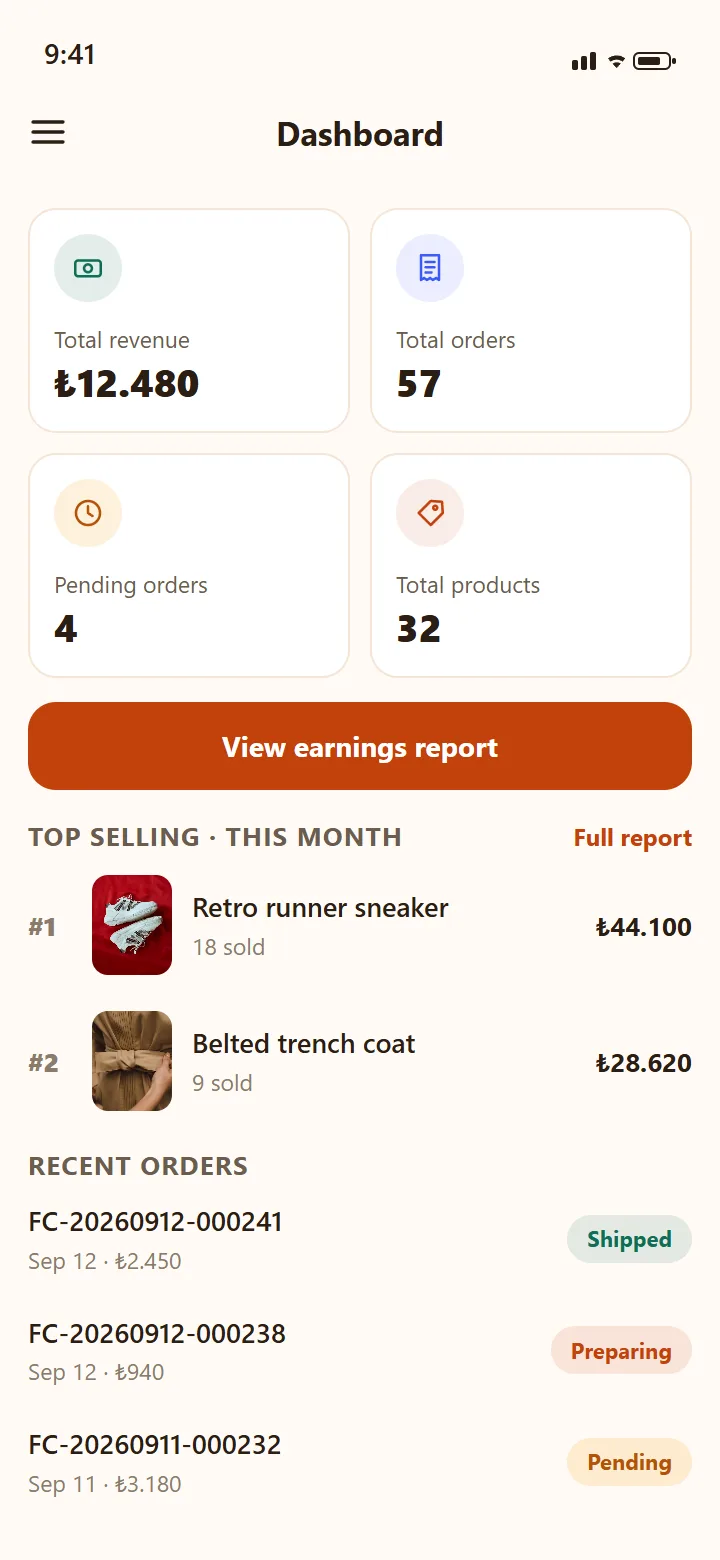
DashboardScreen
Dashboard
Revenue, orders, pending work, product count — at a glance. Below: top sellers, recent orders and low-stock alerts.
illustrative preview
-
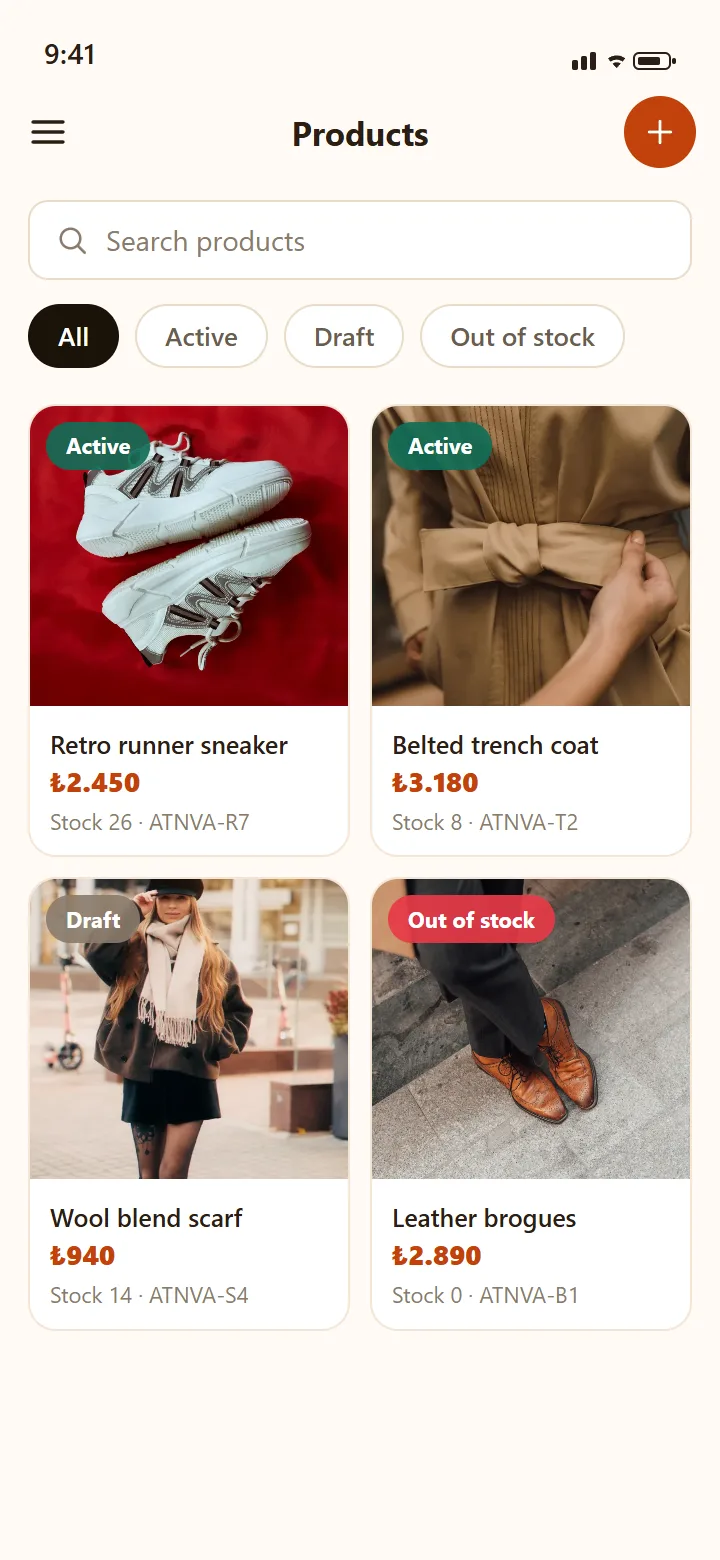
ProductListScreen
Products
Your catalog: search, status filters, infinite list. Every product carries a size×color variant matrix with per-variant stock.
illustrative preview
-
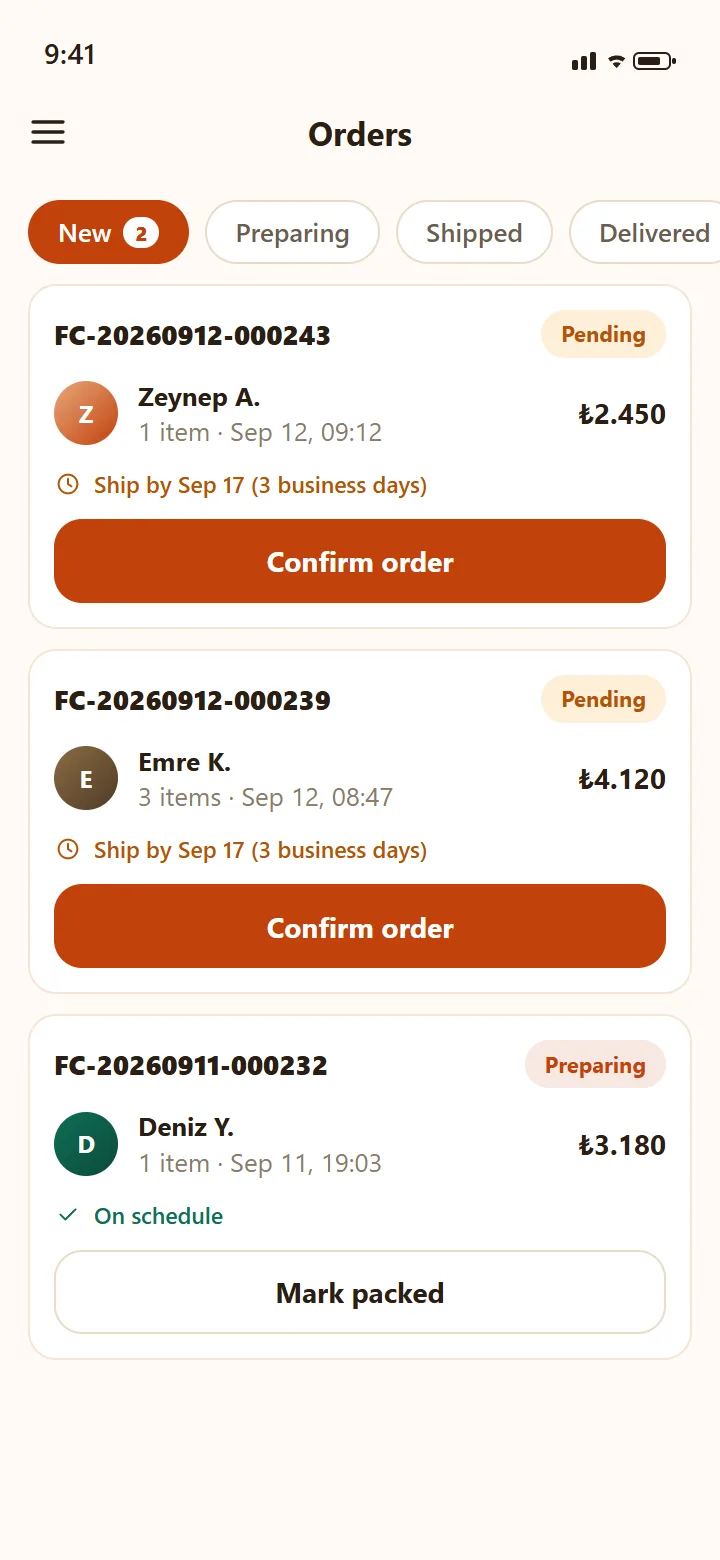
BusinessOrdersScreen
Order queue
New → Preparing → Shipped → Delivered: advance with one tap. The 3-business-day shipping clock counts on screen; shipping requires a tracking number.
illustrative preview
-
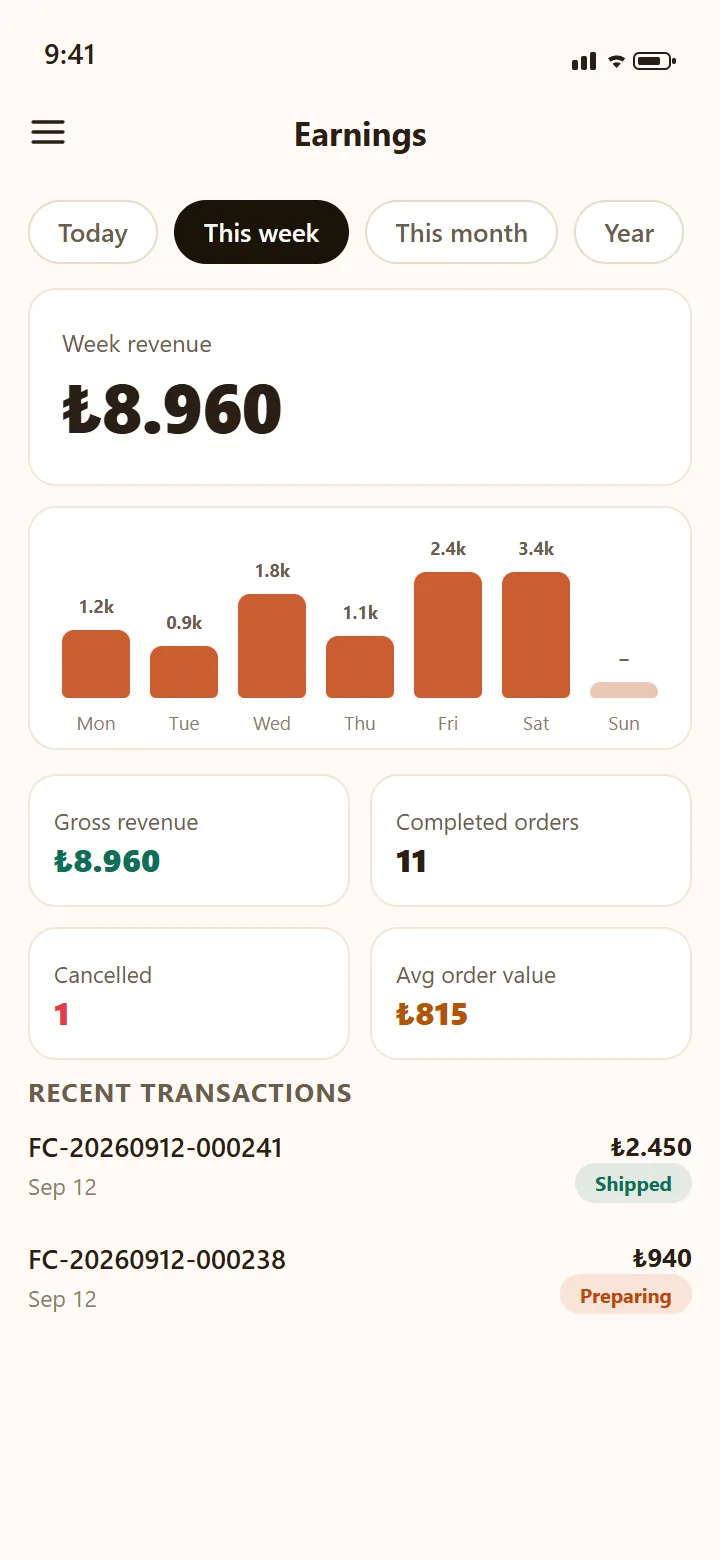
EarningsScreen
Earnings
Day, week, month, year — the revenue chart and transaction list in your store's own currency.
illustrative preview
-
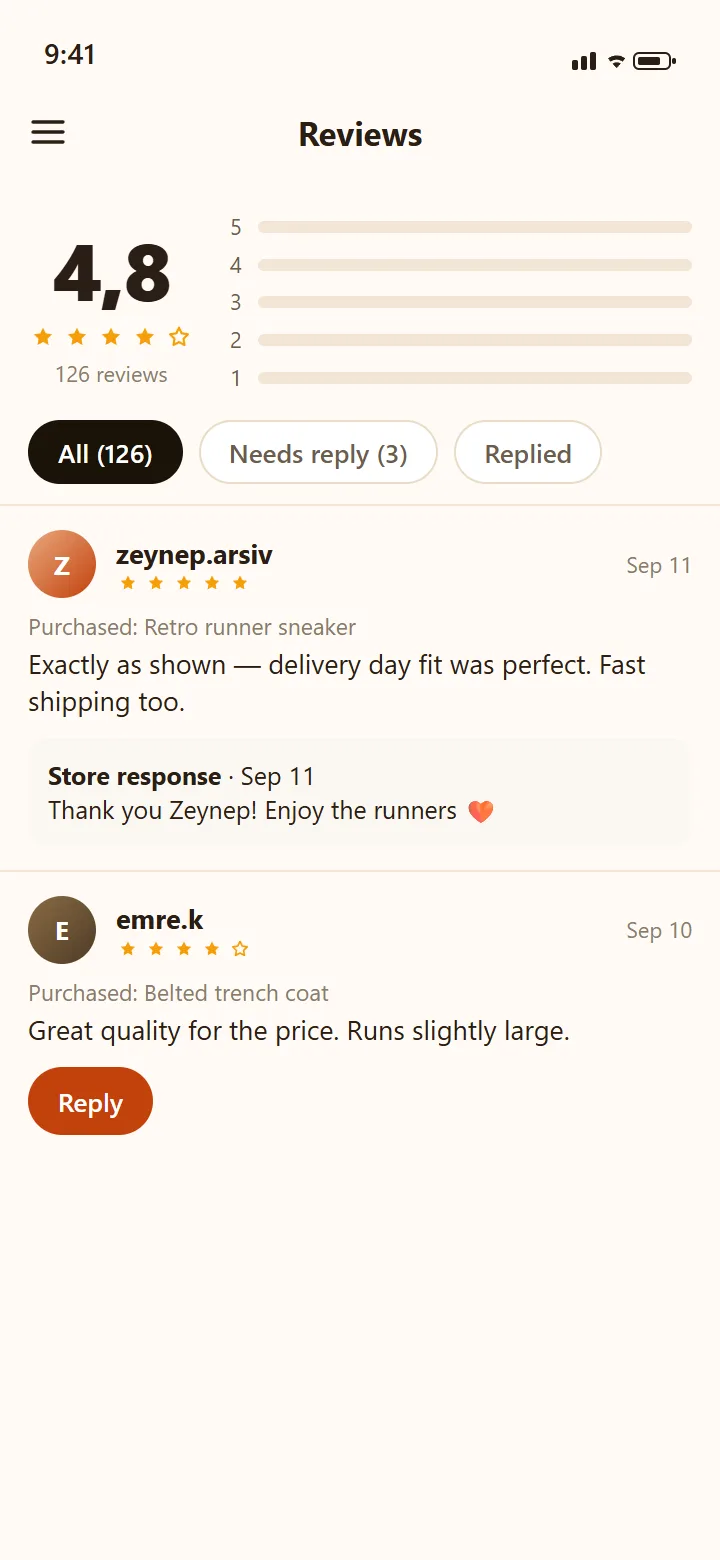
StoreReviewsScreen
Reviews
Reviews come only from delivered orders. The "Needs reply" filter keeps you on top; each review gets one store response.
illustrative preview
-
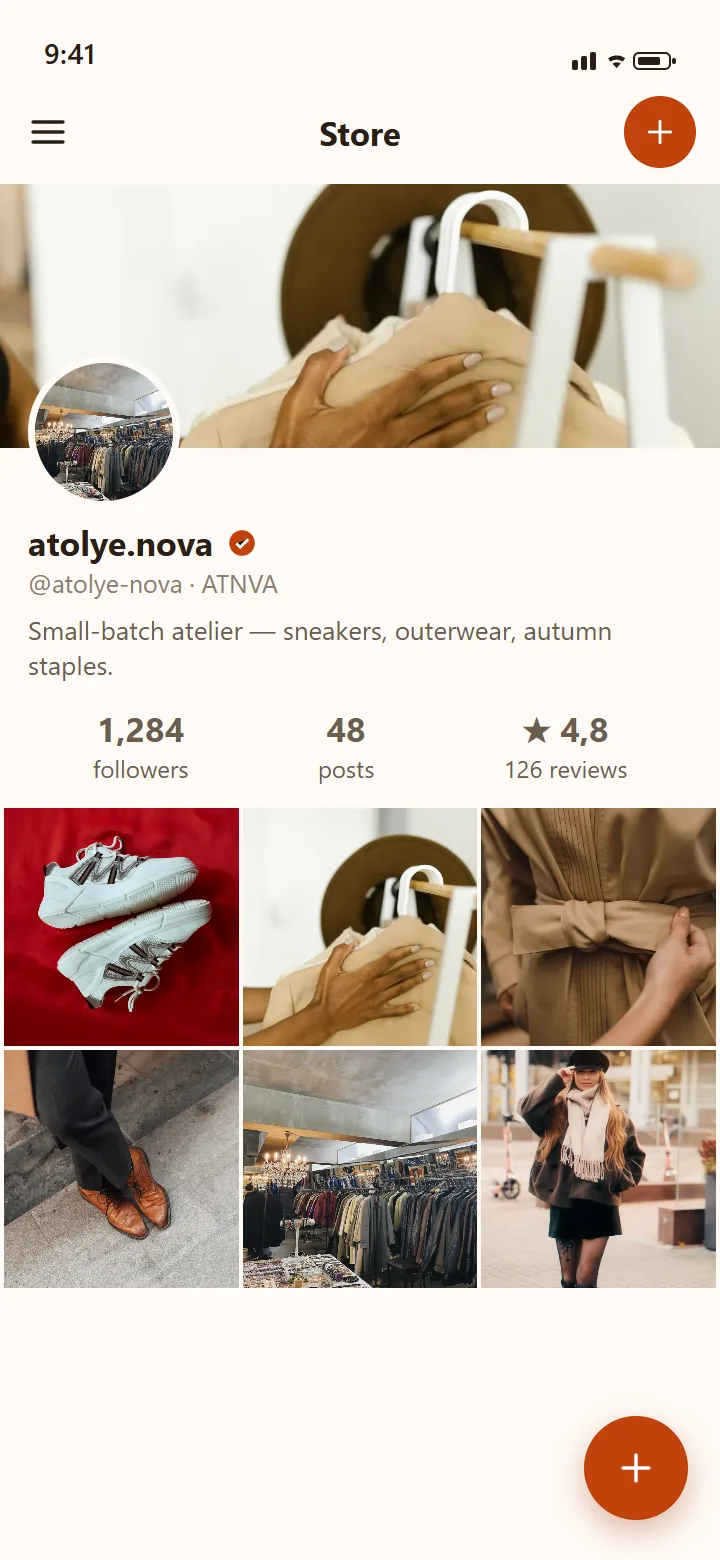
BusinessStoreProfileScreen
Store profile
Your storefront as customers see it: banner, verified badge, rating and posts. Stores share outfits too — tagging their own products.
illustrative preview
Shopper side
-
HomeScreen
Home feed
Outfits from people you follow, in chronological order. Like, comment, save to a board — and tap the tagged-product badge.
1 / 14 -
ExploreScreen
Explore
A three-column grid plus a video hero: everyone's public outfits and reels. Search is one tap away.
2 / 14 -
ProductDetailScreen
Product page
Where the tag takes you: size and color chips with live stock, the store card, and "Add to cart" always within reach.
3 / 14 -
CartScreen
Cart
The cart works per store: an order belongs to one store; payment and shipping run with that store.
4 / 14 -
CheckoutScreen
Checkout
Address, summary, price breakdown — then your bank's 3-D verification. niwers never stores your card.
5 / 14 -
OrderDetailScreen
Order tracking
Every step from Pending to Delivered on a timeline, with the carrier and tracking number. You can confirm delivery yourself.
6 / 14 -
ChatScreen
Messages
Chat with the store in real time: photos, reply quotes, reactions, typing dots — sizing questions get answered in seconds.
7 / 14 -
ProfileScreen
Profile
Your outfit archive, your followers, your measurements if you want them — your own storefront. Going private is one tap.
8 / 14 -
DashboardScreen
Dashboard
Revenue, orders, pending work, product count — at a glance. Below: top sellers, recent orders and low-stock alerts.
9 / 14 -
ProductListScreen
Products
Your catalog: search, status filters, infinite list. Every product carries a size×color variant matrix with per-variant stock.
10 / 14 -
BusinessOrdersScreen
Order queue
New → Preparing → Shipped → Delivered: advance with one tap. The 3-business-day shipping clock counts on screen; shipping requires a tracking number.
11 / 14 -
EarningsScreen
Earnings
Day, week, month, year — the revenue chart and transaction list in your store's own currency.
12 / 14 -
StoreReviewsScreen
Reviews
Reviews come only from delivered orders. The "Needs reply" filter keeps you on top; each review gets one store response.
13 / 14 -
BusinessStoreProfileScreen
Store profile
Your storefront as customers see it: banner, verified badge, rating and posts. Stores share outfits too — tagging their own products.
14 / 14
illustrative preview
Store side
№ 02 the buyer journey
From discovery to your door — every stamp is real.
These six steps aren't a marketing diagram; they're the app's actual order machine.
-
Browse real people's outfits
The following feed is chronological — no algorithmic gloss. Explore and reels show everyone's public style; content is 100% fashion, every image passing an AI + human review gate.
-
Like, save, ask
Likes and comments are instant; save outfits or products to themed boards. DM the store with any question — replies land in real time.
-
Tap the tag, pick your size
The tagged product takes you straight to its page: size, color, stock. Your cart and order move in a per-store flow.
-
Pay with your bank's 3-D check
Payment runs through iyzico or Stripe with 3-D Secure; the result is verified server-side, not just in the browser. Your money doesn't go straight to the seller — it stays held for 14 days after delivery.
pending → confirmed -
Track your package step by step
Sellers must enter a carrier and tracking number to ship. When it arrives, you can confirm delivery with one tap.
preparing → packed → shipped → delivered -
Rate it — or send it back
Reviews can only be written on delivered orders; no fake-review door. Changed your mind? You have a 14-day right of withdrawal — return requests live inside the app, partial refunds included.
№ 03 the seller journey
Open a store, sell — your money accrues safely.
The seller side follows the real coded flow too: from identity verification to the earnings ledger.
-
Business account + identity check
Apply with your store name and documents; KYC-approved stores carry the "verified" badge. Sensitive data lives in an encrypted vault — never shown in plain text, not even in the panel.
-
Variant catalog, showcase shelves
Up to 5 images per product, a size×color variant matrix, a category tree and drag-to-sort showcases like "New Arrivals". Stores post outfits too, tagging their own products.
-
An order queue with one-tap advance
New orders hit the panel instantly. Confirm, prepare, pack; mark "shipped" with a carrier + tracking number. Target: shipped within 3 business days.
pending → confirmed → preparing → packed → shipped -
Sales accrue in the ledger
Every sale is written to a protected payment ledger; funds become available 14 days after delivery. Commission is a flat 10% — no hidden fees.
escrow → delivery + 14 days → available -
Your earnings in the panel
Pending and available balances are always in front of you in Earnings. Automatic bank payout rails are on the way.
Coming soon
№ 04 two countries, one trust layer
Türkiye and the US — everyone buys at home.
The region split isn't a marketing line; it's a rule running on the server: browse and take inspiration anywhere — purchases happen in your own country, in your own currency.
TR
Türkiye
- Shop in ₺ with 3-D Secure on iyzico rails
- 14-day right of withdrawal under Turkish consumer law
- Turkish legal set and KVKK rights
US
United States
- Shop in $ with protected payment on Stripe rails
- INFORM Act seller transparency
- English legal set and CCPA rights